

Thank you for trusting us to support your critical missions. We have updated the password management system within the uvGO Mission Management Platform.
This will provide enhanced security for your uvGO account and make it easier for you to self-manage your user authentication credentials.
New Stronger uvGO Passwords
After Sept 23, around 19:30 GST, uvGO users will be prompted to update their password to a new “strong“ password upon first log-in into uvGO.
The new password format will require a minimum of 8 characters and a combination of upper/lowercase letters, numbers, and symbols.
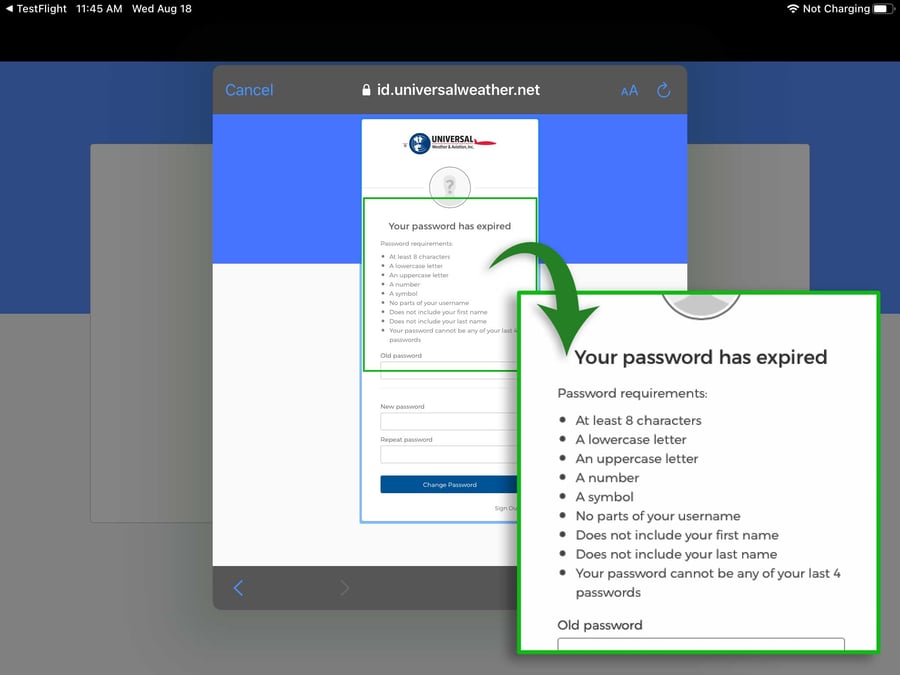
Password change prompt that users will see starting September 23.
Users will be able to update their password in either the online, iPad, or iPhone versions of uvGO.
After that, users will use THE SAME new password to access uvGO across all platforms they have – online, iPad, and/or iPhone.
Generally speaking, we recommend against sharing uvGO login credentials with others, and we encourage each user to have their own unique login ID. However, if you are using a shared login, all users will need to be made aware of the new password selected.
Reminder: Your uvGO username should now be your email address. If you have not yet added your email address to your account, please contact our Customer Care Center.
Easier Password Management
With this upgrade, users will be able to reset or update their passwords on their own without contacting our Customer Care Center, as long as they have a validated email address on their account.
If you forget your password, you'll be able to reset it from the uvGO login screen.
To update your password within uvGO, select the Profile Icon ( ).
).
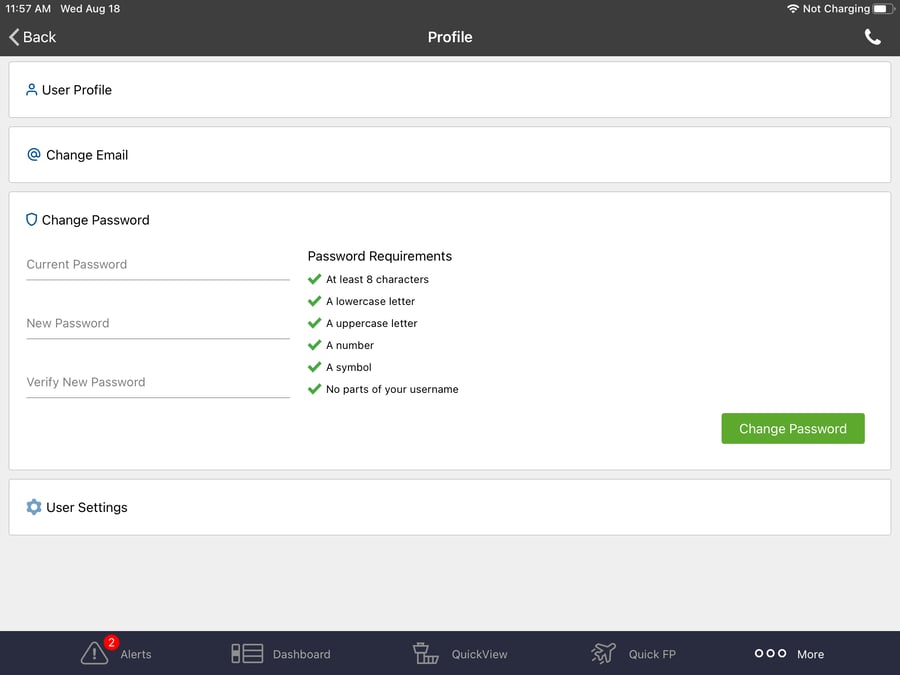 New user profile view where users can update their email/username and password.
Attention iPad and iPhone App Users
After the Sept 23 password management system update, iPad and iPhone app users will not be prompted to provide a new password until after they exit out of uvGO.
This means that crew members on active trips won't need to make the change immediately, as long as they were authenticated into the app prior to the update and keep the uvGO app running in the background.
Once they log out of close the app, they will be prompted to update or provide a new password on next login.
Attention Third-Party Integration Users
Users who push trips to uvGO or Universal Trip Support through an integrated scheduling software provider will need to update the connector with the new uvGO password in order to keep the integration running.
Please contact your third-party application provider for details on how to do this.